Routes introduction
October 20, 2023 · 4 min read
Laravel provides a powerful routing system that allows you to define how your application responds to incoming HTTP requests. In this tutorial, we will cover the basics of Laravel routes, including simple routes, routes with parameters, and routes using regular expressions. We'll also explore how to work with controllers and use route names. The routes file is located in the directory (routes/web.php).
Simple Route
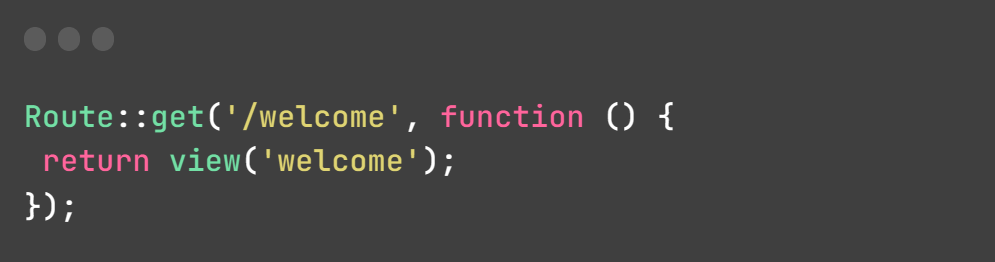
A simple route is the most basic type of route. It maps an HTTP verb (e.g., GET, POST) and a URI to a closure or controller action. Here's an example of a simple route that responds to a GET request without any parameters that return the view welcome:
Route with Parameters
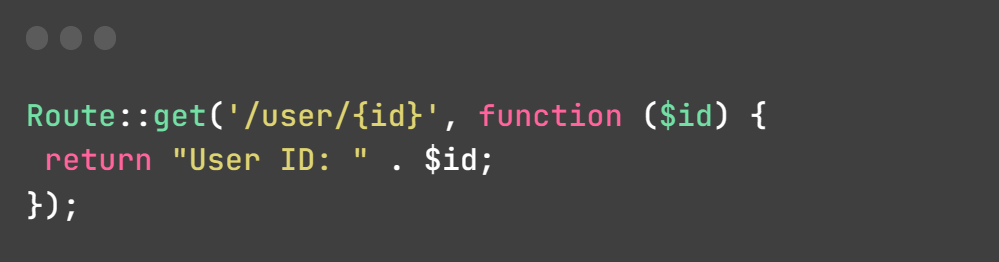
You can define routes that accept parameters. These parameters are placeholders in the URI that allow you to capture dynamic values from the URL. Here's an example of a route with a parameter:
Route with Parameter and Regular Expression
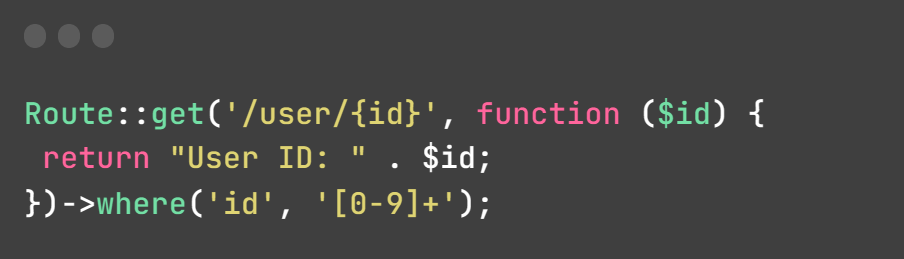
You can use regular expressions to constrain the format of route parameters. For example, to accept only numeric IDs:
Route with Controllers
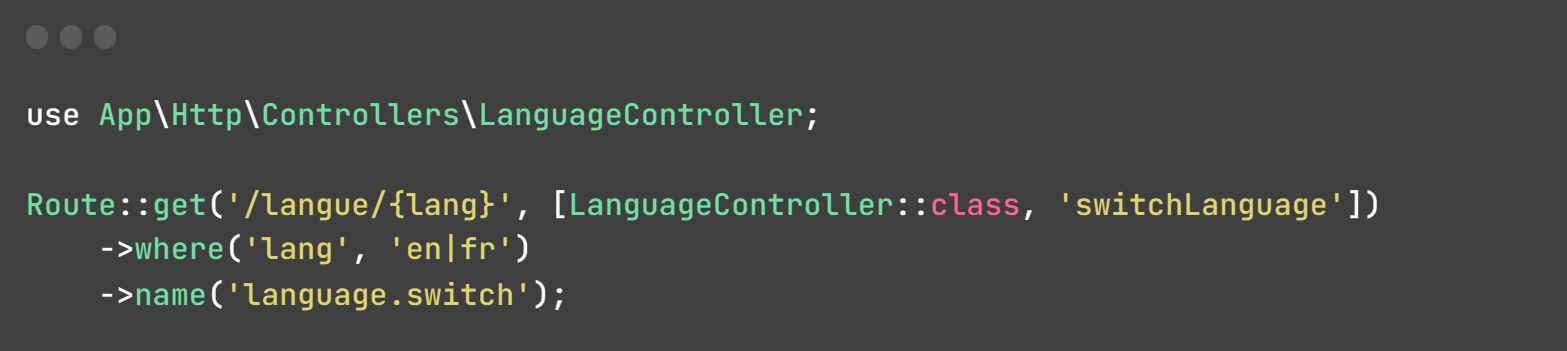
Using controllers allows you to separate the logic of your application from the routes. Here's an example of a route that uses a controller:
Routes Grouped with a Single Controller
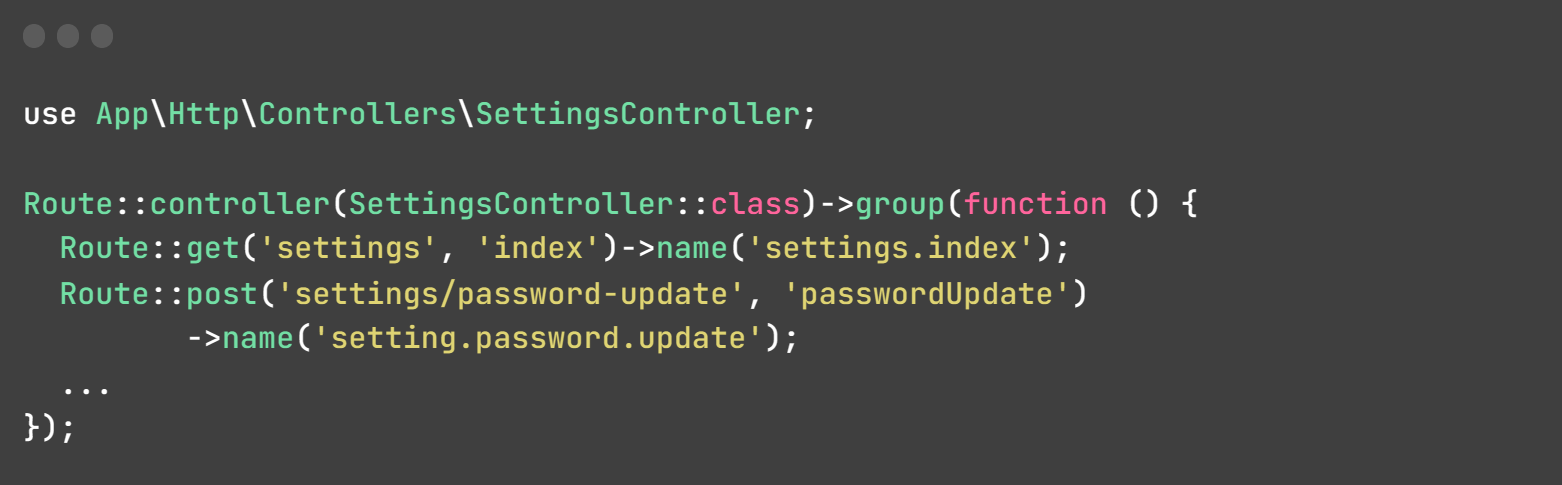
You can group multiple routes under a common prefix and associate them with a single controller using the controller and group methods. This is useful when you want to organize related routes that all use the same controller. Here's an example:
Named Routes
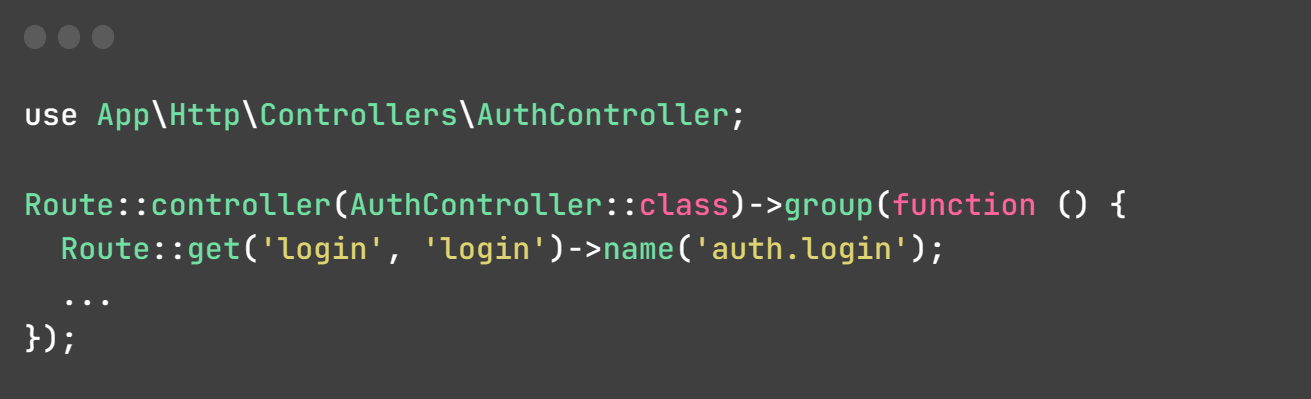
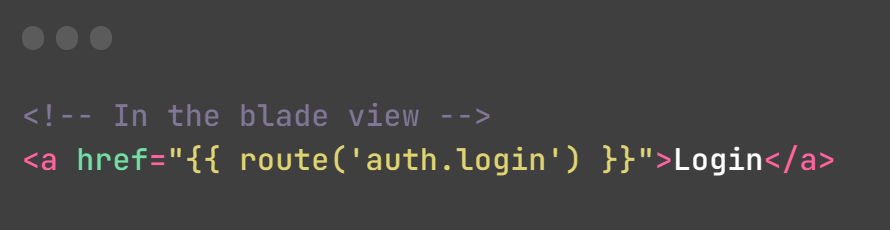
Named routes provide a convenient way to refer to routes in your application. You can name a route using the name method and later generate URLs or redirects using the route's name. For example:
Conclusion
In this tutorial, we've delved into the fundamental aspects of Laravel routes. We've explored simple routes, routes equipped with parameters, routes enhanced with regular expressions, and routes integrated with controllers. Additionally, we've elucidated the notion of named routes and provided guidance on their application.
Next chapter Middleware